
Getting Started
Your TempBuddy works straight out of the box. Watch the instructional video below to learn more about your TempBuddy and get the best out of it.


Keep the App updated
Your TempBuddy gets better and better.
TempBuddy software is regularly updated with improvements and cool new features.Make sure to run the latest software to get the most out of your TempBuddy.
Find the right app for your smartphone on Google Play .

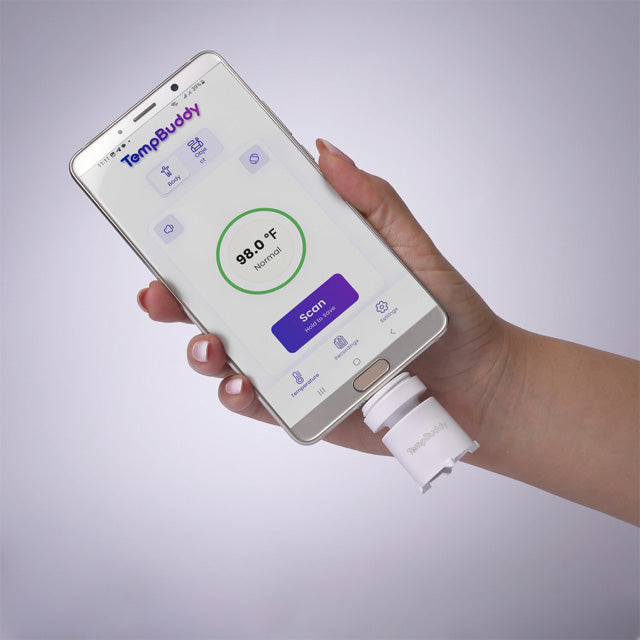
Smartphone-Powered
TempBuddy draws minimal power directly from your phone, eliminating the need for batteries and ensuring it won’t drain or damage your device.

What's in the Box
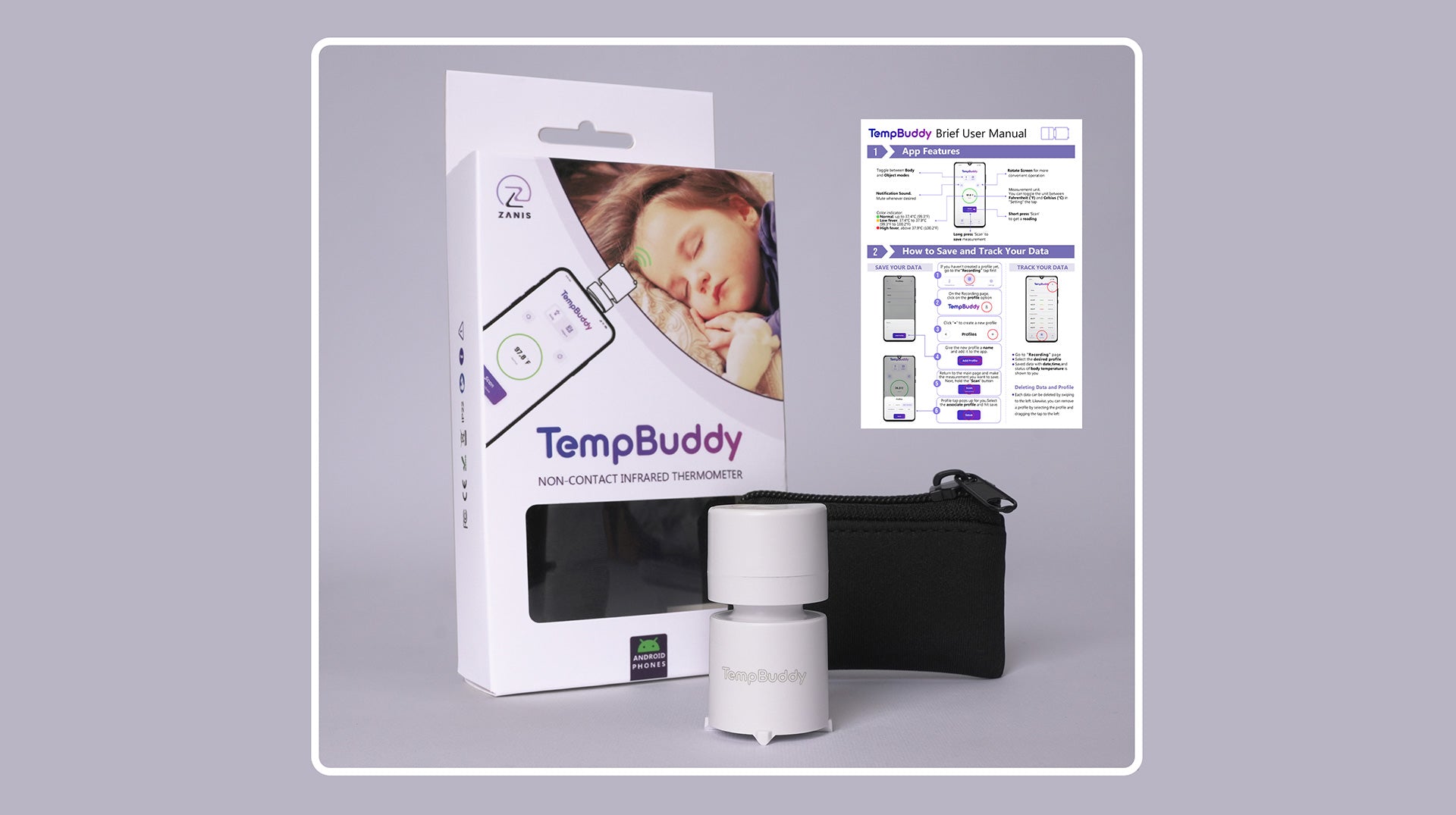




The complete User Manual is available in the app and can also be reviewed here.
Carry-on Bag
Keep your TempBuddy secure and clean with the included carry-on bag, ensuring it’s always ready for find.
Shop TempBuddyCarry-on Bag
Keep your TempBuddy secure and clean with the included carry-on bag, ensuring it’s always ready for find.
Shop TempBuddyFAQ
How do I set up my TempBuddy?
Follow the usermanul and simply download the Zanis TempBuddy app from your app store, connect the TempBuddy to your smartphone via the USB-C port, and follow the instructions to start measuring temperatures. User manual is available to you in the packaging, app, and also above on this Contact page.
What devices is TempBuddy compatible with?
TempBuddy is compatible with Android smartphones that have a USB-C port. For iOS devices, a version is currently under development.
How accurate is TempBuddy?
TempBuddy provides highly accurate readings with a precision of ±0.2°C for body and ±0.5°C for object, making it reliable for tracking body and object temperatures.
Can TempBuddy measure the temperature of objects other than the human body?
Yes, TempBuddy can measure the temperature of various objects ranging from 0 to 100°C, which is perfect for checking things like baby milk, bath water, or even room temperatures.
Does TempBuddy require batteries?
No, TempBuddy does not require batteries. It draws power directly from your smartphone via the USB-C connection, ensuring it’s always ready to use without the need for charging or battery replacements.
How do I clean my TempBuddy?
Clean the sensor and body of your TempBuddy with a soft, dry cloth. Avoid using liquid or chemical cleaners directly on the device.
What should I do if my TempBuddy isn’t working properly?
Ensure that your TempBuddy is correctly connected to your smartphone and that the app is up to date. If problems persist, please contact our support team for assistance.
Is there a warranty on TempBuddy?
Yes, TempBuddy comes with a one-year warranty covering any defects in materials or workmanship. For more details on the warranty or to make a claim, please fill the contact form on this Support page above.
How can I return my TempBuddy if I’m not satisfied?
We offer a 30-day money-back guarantee if you are not completely satisfied with your TempBuddy. Please please fill the contact form on this Contact page above.
Where can I find more detailed instructions on using TempBuddy?
For comprehensive guidelines, please refer to the full user manual available in the app or on our website (above on this page). You can also watch our instructional videos for step-by-step usage tutorials (top of this page).
- Choosing a selection results in a full page refresh.
- Opens in a new window.